Tag Archives: Linux

How to Change the Keyboard Layout in Linux by https://ift.tt/2GY5WYc

“When you spend any real length of time working on a computer, you learn that your preferences matter. Having your computer set up exactly as you like can make the difference between getting work done smoothly and dragging through something that’d otherwise be simple.”

View The Original Post

Selected by Galigio

Wireshark 3 Released with New Npcap Windows Packet Capturing Driver by https://ift.tt/2H90MYW

“Wireshark 3.0.0 was released today, replacing the no longer maintained WinPcap packet capture library with the Npcap packet sniffing and sending library for Windows, created by Gordon Lyon the founder of the Nmap project.”

View The Original Post

Selected by Galigio

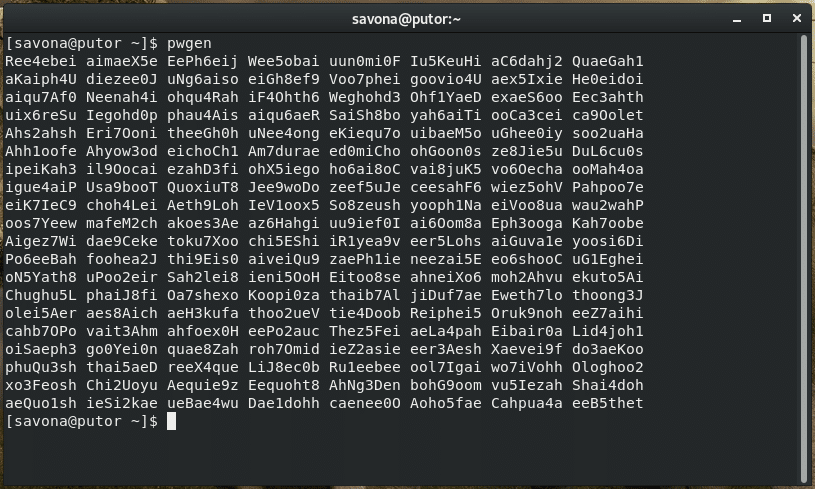
5 Methods to Generate a Random Password from the Command Line by https://www.putorius.net/

“If it was up to me I would never leave the command line. I use still use lynx (a command line browser), dict (a command line dictionary), and bc (a command line calculator) although with decreasing regularity. So why not use the command line to generate random passwords?”

View More

Selected by Galigio


Rclone – Sync Files Directories from Different Cloud Storage by https://ift.tt/2zc5aRX

Rclone is a command line program written in Go language, used to sync files and directories from different cloud storage providers such as: Amazon Drive, Amazon S3, Backblaze B2, Box, Ceph, DigitalOcean Spaces, Dropbox, FTP, Google Cloud Storage, Google Drive, etc.

from https://ift.tt/2zc5aRX

Selected by Galigio via Computer Borders

Rclone – Sync Files Directories from Different Cloud Storage by https://ift.tt/2zc5aRX

Rclone is a command line program written in Go language, used to sync files and directories from different cloud storage providers such as: Amazon Drive, Amazon S3, Backblaze B2, Box, Ceph, DigitalOcean Spaces, Dropbox, FTP, Google Cloud Storage, Google Drive, etc.

from https://ift.tt/2zc5aRX

Selected by Galigio via Computer Borders

Rclone – Sync Files Directories from Different Cloud Storage by https://ift.tt/2zc5aRX

Rclone is a command line program written in Go language, used to sync files and directories from different cloud storage providers such as: Amazon Drive, Amazon S3, Backblaze B2, Box, Ceph, DigitalOcean Spaces, Dropbox, FTP, Google Cloud Storage, Google Drive, etc.

from https://ift.tt/2zc5aRX

Selected by Galigio via Computer Borders

Rclone – Sync Files Directories from Different Cloud Storage by https://ift.tt/2zc5aRX

Rclone is a command line program written in Go language, used to sync files and directories from different cloud storage providers such as: Amazon Drive, Amazon S3, Backblaze B2, Box, Ceph, DigitalOcean Spaces, Dropbox, FTP, Google Cloud Storage, Google Drive, etc.

from https://ift.tt/2zc5aRX

Selected by Galigio via Computer Borders

LIBRECON anuncia el programa de su 8a edición by https://ift.tt/2DicBde

LIBRECON, el congreso internacional de tecnologías abiertas más importante del Sur de Europa, ha anunciado su programa para la edición de este año. En esta ocasión se explotará la aplicación de tecnologías de código abierto en el campo financiero o administración pública.

from https://ift.tt/2DicBde

Selected by Galigio via Computer Borders

How to sync from Linux to Google Drive with rclone by https://ift.tt/2qyh4AS

I am a Google Drive power user. I depend upon the cloud storage platform daily. And considering I use the Linux operating system as my daily driver, I’ve had to look elsewhere for sync tools (since Google has not opted to create a native Cloud client for Linux).

from https://ift.tt/2qyh4AS

Selected by Galigio via Computer Borders

Firefox 63 Released, Red Hat Collaborating with NVIDIA, Virtual Box 6.0 Beta Now Available, ODROID Launching a New Intel-Powered SBC and Richard Stallman Announces the GNU Kind Communication Guidelines by https://ift.tt/2PPKci9

154748018-1a199c36-bff8-496d-9690-d58f9b3e54f5

News briefs for October 23, 2018. Firefox 63.0 was released this morning. With this new version, “users can opt to block third-party tracking cookies or block all trackers and create exceptions for trusted sites that don’t work correctly with content blocking enabled”.

from https://ift.tt/2PPKci9

Selected by Galigio via Computer Borders