
Tag Archives: Linux Distros

Advanced Data Recovery on Linux

It’s the perfect nightmare and everyone do all his best to avoid it but sooner or later it happens.

Loosing data from a hard disk or a USB device is more common than you can image and everyone has experienced it!

Windows has different commercial solutions available to recover data and partitions but, if you use Linux, you need something different.

The best solution I found for Linux is an old but current article by Lifehacker.au that I strongly recommend if you are experiencing this kind of problems and want to solve them.

Continue reading

Link

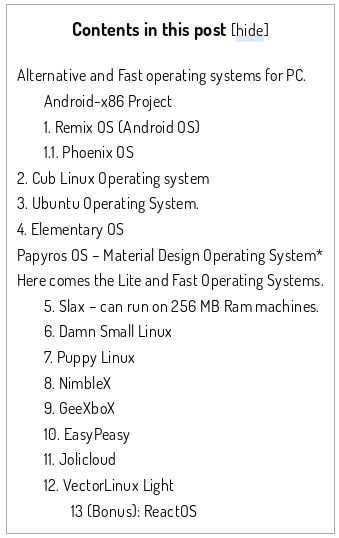
12 Light and Fast PC Operating System For Old PC, Laptop and Tablet by Devendra via quickfever-v1-5

“If your computer having problems or lags while using Windows operating systems, you’ll discover some fast and lightweight OS in this article. There is another post where we discussed best alternative operating systems that are not specifically for old PC’s”

screenshot-www-quickfever-com-2016-11-15-19-46-56

It’s time to find the best Linux Distro for your old laptop!

tuxAre you looking for a up-to-date Linux Distro to use that old laptop you have in the dust in the far corner of your garage? It could not be so easy to find the best Linux Distro to install on it but howtouselinux.net did some great twests for all us:

What is the best Linux distro for Laptop? 

The review is really well-done and the graphic display of results let you to quickly choose what is the best Distro candidate for your laptop depending on hardware, your tastes and the final use you want to give to your laptop.

In my experience the howtouselinux.net review let me to save a lot of time because I was able to focus my tersts just on the two Distros that seemed to have the right prerequisites for my old eeepc 900:  Peppermint OS and Macpup. Recommended!

375x150-embossed


MobaLiveCD: how to test Linux distros directly from Windows

Today, in our Linux Page (in Spanish) we posted a brief review about MobaLiveCD: a freeware which allows you to freely test new Linux Distro using Windows. MobaLiveCd uses Qemu to work; personally, I think that Qemu is one of the best and lightest open source processor emulator and virtualizer you can find today. Qemu is easy to use and, also more important, it “achieves near native performances by executing the guest code directly on the host CPU” so the results you can obtain using MobaLiveCD are very impressive and I believe that  the performances are really comparable to a complete installation. MobaLiveCd allows you to spare your time because all the new Linux distros can be tested with just few clicks running the .iso through it. I personally recommend this freeware also because it light and it can be directly used from a USB key. Something really interesting! AddThis mp3 link