Tag Archives: hardware

If you use TAILS you should test a bit of HEADS alchemy

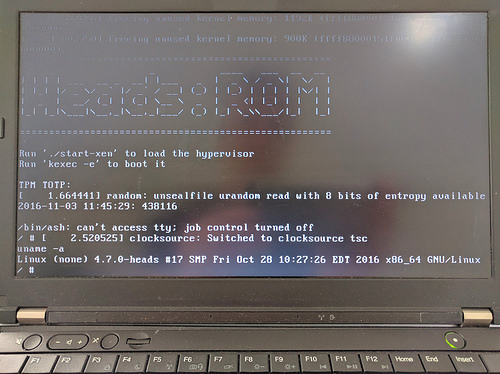
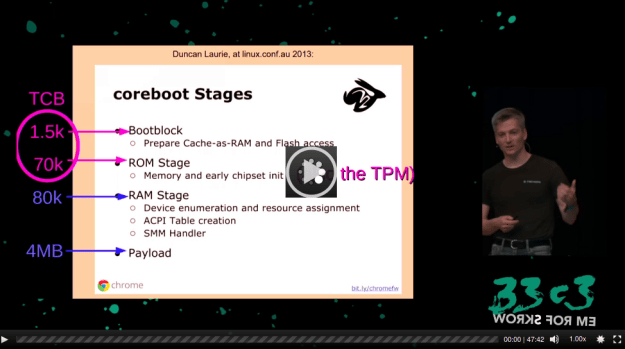
If you use TAILS you are certainly interested to better know HEADS because Heads isn’t simply another Linux distribution, it merges physical hardening of particular hardware platforms and flash protection attributes with a Linux boot loader in ROM as well as custom Coreboot firmware.

30450989320_f6504cb662

The key factor in Heads is represented by its steady monitoring of the boot process that allows detecting if the firmware has been changed by malware.

If this first check certifies that all is unchanged, heads uses the TPM as a hardware key to decrypt the hard disk.

The certified integrity checking of the root filesystem is really effective against exploits but it doesn’t secure the system against each possible attack but it is able to effectively divert many types of attacks against the boot process and physical equipment that have usually been ignored in conventional setups, hopefully increasing the issue beyond what most attackers are willing to spend.

c3tv-bootstraping-a-slightly-more-secure-laptop

Link

What mobile carriers do next: Become banks by  via iap3di46_400x400

“…According to the “Way We Bank Now” report by the British Banking Association, they downloaded more than 13.8 million banking apps in 2015, up 25 percent from 2014…. In mature markets, the emphasis has been on NFC payments. The typical model was a contactless wallet app, with account credentials stored in the secure element of a SIM card….”

Link

Is Computer Security Becoming a Hardware Problem? by Michael Byrne via vice_motherboard_logo

Link

Memory is dirt cheap at a time when it should be expensive

Link

Not all USB type-C ports are equal: Nine versions of USB-C incoming

Link

When virtual reality collides with reality its surreal

How to repair a bad screen resolution on the IOMEGA Screenplay Pro HD

This is the situation: you have a IOMEGA Screenplay Pro and while you where trying to find a better output  resolution for your monitor you accidentally (or not) selected the HD option and now you are not able to visualize anything.

In few words this is the easiest problem you can afford but also one of the worst because you are not able to visualize the menu and so you cannot revert the right monitor resolution.

I visited many websites but unfortunately I didn’t find any forum or post about this topic. In any case I like to focus your attention on this ScreenPlay Pro HD wiki which is a real mine of information and tips about this specific hardware.

So I tried to “play” with the Screen Play Pro HD remote but I was not able to find a solution without visualizing anything on the monitor.

At the end, when I was thinking to reset the Screenplay and loosing all the data contained, I tried to use an old solution I used different times with other stuff: I pressed the power button for more than 10 seconds while I was switching on the device.

Something happened because the monitor showed me the Screenplay boot up window for a couple of seconds. At this point I pressed the NTSC/PAL button and the Screenplay Pro HD menu was visualized on my monitor again. AddThis

How to easily check HD health using a cross platform software: GSmartControl 0.8.3

GSmartControl is a multiplatform (Windows, OS X, Linux) freeware drive health inspection tool which is very useful in all that case when you think something is not working perfectly on your HD. Today, in our Linux Page (in Spanish) we have posted a brief comment about this software which basically is the graphical user interface for smartct. The program is very intuitive and easy to use; it automatically detects all your internal HDs (with some external USB disks we had some problems because they were detected as unknown) and let you decide if you want to activate the SMART feature. This particular feature let you “predict certain kinds of failures with certain chance of success” so you have a better chance to avoid HD crashes and all the consequent data loss. If you prefer, clicking on the “Enable Auto Offline Data Collection” the HDs will be tested every four hours without impacting your CPU performance. I would like to focus your attention that GSmartControl is very well developed and it is possible to download many “personalized” versions for all the main Linux distributions, OS X and Windows. Last but not least, do not forget that SMART could predict some HD crashes but it is not 100% safe; for this reason we strongly recommend you to backup your PCs, at least every week! AddThis mp3 link