
Today, in our Linux page, Frank posted a brief comment about Envy: a good Phyton program which can easily help new Linux users to install ATI and NVIDIA drivers on Ubuntu. Before writing this post we tried
Envy in our Ubuntu 6.10 and in less than 10 minutes we were able to use our new video card. In few words, for beginner Linux users like us, Envy is one of the most useful applications we can find.
Category Archives: Ubuntu
UCK 1.4: how to buid your personalized Ubuntu-Kubuntu live CD – DVD!
Today, in our Linux Page, Frank has posted some useful notes about how to create a personalised live CD-DVD based on Ubuntu or Kubuntu. UCK 1.4 is the new powerful version of Ubuntu Customization Kit which allows you to easily customize the main Ubuntu functions: kernel, languages, software and … create in just few clicks.. your personal live Ubuntu CD. You can use UCK just for fun or to develop your ideal Ubuntu distribution to spread on the web. Enjoy it! 
Click’N Run by Linspire: soon on other Linux distributions!
This week, in our Linux page we posted some news about Click’R Run, the well known Linspire’s software (free in its basic version) to manage applications, libraries and packages. Soon (more or less 5 months), Click’N Run will be available also for Debian, Fedora, Freespire, OpenSUSE and Ubuntu. In its actual Linspire version, Click’N Run is very easy to use and has a library of 20.000 Linux packages so I think that it will be interesting to try when it will be available for the other Linux distributions.
Ubuntu Windows installer: an easy path to Linux world!
Today, in our Linux Page we posted a useful review about Ubuntu Windows Installer. This software solves many problems (and fears) you have when decide to install Ubuntu, Kubuntu or Xubuntu on your computer. Ubuntu Windows Installer manages all the steps during the installation and it also modifies the original hard disk partition due to have two different OS on your computer. Ubuntu Windows Installer is very easy to use and I consider it as one the best practical solution for Linux beginners. Try it.. and let us know your comments! 
IEs4Linux: a wonderful solution to have Internet Explorer running in Linux!
Today, in the Linux Page, Frank has posted a very interesting review about IEs4Linux. In fact sometimes we have to use IE in websites created only for IE. The post is very detailed and contains all the instruction to install IEs4Linux in Ubuntu and Kubuntu. Obviously, we personally prefer Firefox but IE is an essential feature to “surf” the web also when we use Linux.
Ubuntu Christmas editon 2006 – DVD version
In the Linux page we posted a short review about – Ubuntu Christmas edition 2006 -. This fantastic version of Ubuntu is a live DVD which can be freely installed on your PC. This edition is particularly full of useful features, moreover themes & graphics are very accurate. I strongly believe that Ubuntu Xmas Edition 2006 is one of the best Linux you can try (or better install on your pc) if you are planning to use Linux as your main OS. If you are a beginner you have just to put Xmas Ubuntu into the DVD reader and you can enter Linux world!
How to step into Linux and get KBFX graphics.
Today in the Linux page you can read two different new posts. The first is about http://www.getgnulinux.org/ a good website full of information and suggestion to step into Linux. The site, with an essential and “easy to read” graphics, is multilingual: English, Spanish and French. In the second post Frank explain how to change the Linux themes using KBFX. Using KBFX you can personalize your K-menu button and it’s menu. Moreover, KBFX is not based on the XP StartMenu but on a hierarchical structure or (you can choose) on the new, flat indexed menu.
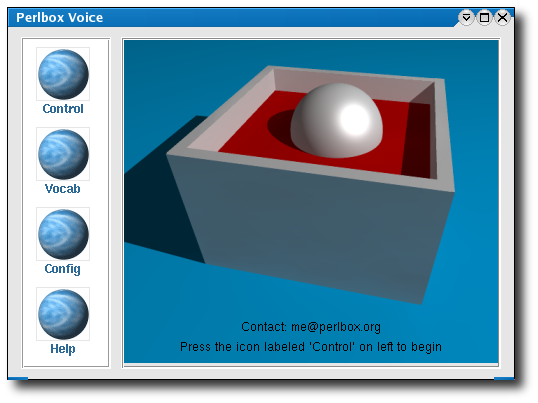
Speech Recognition Engines fo Linux: Perlbox and CMUSphinx
Today, in the Linux page you find a post about two different speech recognition programs: Perlbox and CMUSphinx. We think that these voice enabled applications could be useful if you want to fast the way you use your desktop. We tested them in English and the results were pretty good. We suggest you to try them even if you haven’t any specific needs to use them. At least, you will spend some interesting hours testing the softwares our sons will use in next generation computers.
