Tag Archives: Linux

CD Burning Applications for Ubuntu

There are not many applications for recording optical media under Linux. On the other hand, applications for Windows that allows a user to write a CD or DVD are numerous, but the most important difference is that those available on Linux are free and / or open source, with some exceptions. But all have basically the same purpose – to write or copy a disk.

In the world of Linux, the most common applications for burning optical media are usually pre-installed with the operating system chosen by the user. If not, they can be downloaded and installed easily on almost any platform.

Here are some of the most common such programs for Ubuntu:

Applications for Gnome / GTK

Brasero

Brasero is one of the most popular tools in the world of burning CDs. It usually comes pre-installed in most distributions that use Gnome. Brasero provides the user with a very friendly and simple interface while keeping all the important features needed by a user. Brasero is an application that requires minimal resources, providing maximum functionality, all integrated in one intuitive interface.

GnomeBaker

GnomeBaker is another GTK application with the same functionality as Brasero, but with a different interface. GnomeBaker gives the user an interface similar to Nero and K3B. The difference in use depends on the visual tastes.

X-CD-Roast

X-CD-Roast is an application to burn discs with its basic functions, but comes with a relatively primitive interface. Many users might find its interface as hard to use.

KDE Applications

K3B

K3B is probably one of the most popular programs available in the Linux world. It has many advanced features and options that would satisfy most users of such a program. It is available for both KDE and Gnome. Generally, K3B is regarded as the Nero of Linux.

AddThis Flattr this

Including a Ubuntu Machine into a Windows Domain

One of the great problems of interoperability between Linux and Windows has been the impossibility of Linux systems for joining a Microsoft Windows network. Subsequently, several standards to achieve this were developed over the years (see Samba), but they were far from offering normal user the chance to achieve this easily.
The infrastructure of many companies around the world, of all sizes, also relies on the use of a Windows domain. In all companies, one priority always stands out. That is to reduce information costs and expenses. Because of this, many of them have opted for the use of computers with Linux operating systems. But in many cases their integration into Active Directory environments was a problem.
Recently, a new tool was created to facilitate the full integration of a Linux system in an AD environment. And as far as today, it seems very promising. Thanks to likewise-Open5 (http://www.likewiseopen.org/), the difficulty of integration is almost null.

The following lines will illustrate the inclusion of Ubuntu in a Windows domain via likewise-Open5.

Installation

Likewise-Open5 Installation process is very simple. It can be done both through the graphical environment and command line. We will use the second variant. Therefore, a new terminal window must be open, in which you specify the following command:

sudo apt-get install likewise-open5

This command should resolve all the dependencies necessary to prepare the machine to be integrated in the Windows domain.

Adding a new machine

To actually add the machine, specify the following command in the terminal window:

sudo domainjoin-cli join domain used

Where DOMAIN is the area used for integrating the machine, and USER is the username that has the corresponding rights. You will be asked for your user password, and once successfully logged in, you are officially added the desired machine. AddThis Flattr this

How to open PDF files (and other formats) through Mozplugger on Ubuntu

This article comes as a useful help for all Linux (Ubuntu) users, which will be presented with a new way of opening PDF files in the browsers compatible with this operating system. First of all, most of you probably know that Google Chrome is capable of doing this by default, without the user being required to make a particular setting.

However, Firefox does not currently have this built in feature, so it needs some help (usually in the form of a plugin) in order to open the PDF files you download or see online. In addition to the official plugin from Adobe (which contains numerous bugs and can sometimes be really annoying because if its way of loading PDFs), there is the option known under the name of Mozplugger. This is actually a plugin that allows the integration of different applications with the Firefox browser so that it can open some files not recognized automatically by default. If you want to install Mozplugger, the following simple steps are required and can be done by anyone.

After installing Mozzplugger, the following text muse be written in mozpluggerrc:

application / pdf: pdf: PDF file
application / x-pdf: pdf: PDF file
text / pdf: pdf: PDF file
text / x-pdf: pdf: PDF file
application / x-postscript: ps: PostScript file
application / postscript: ps: PostScript file
repeat noisy swallow (Evince) fill: Evince “$ file”

After making these changes, a restart is totally recommended. If you do not restart your browser right after that, changes might not take the desired effects. You will surely enjoy everything this great plugin has to offer. Not only will you be able to read PDFs directly in your browser, but there will also be some extra formats that you never thought they could be read directly from Firefox. AddThis

Changing the default text editor on Ubuntu

There is a few software that will use the editor command to find out what text editor to use. Example commands will be dch to add a new .deb changelog entry, revision control softwares when prompting for commit a message …
There is basically 2 ways for changing the default editor:

1. System Wide
Run Terminal and type:
$ sudo update-alternatives –config editor
And then choose whichever editor you want to be default.

2. User Level
As a user, you cannot change the setting for the whole system, but you can add an alias for editor to let say vim.
Open and edit ~/.bashrc and add:
alias editor=vim
Next time you will open a bash prompt, your default editor will be vim. AddThis

How to Install Inkscape on Linux (with special instructions for Ubuntu)

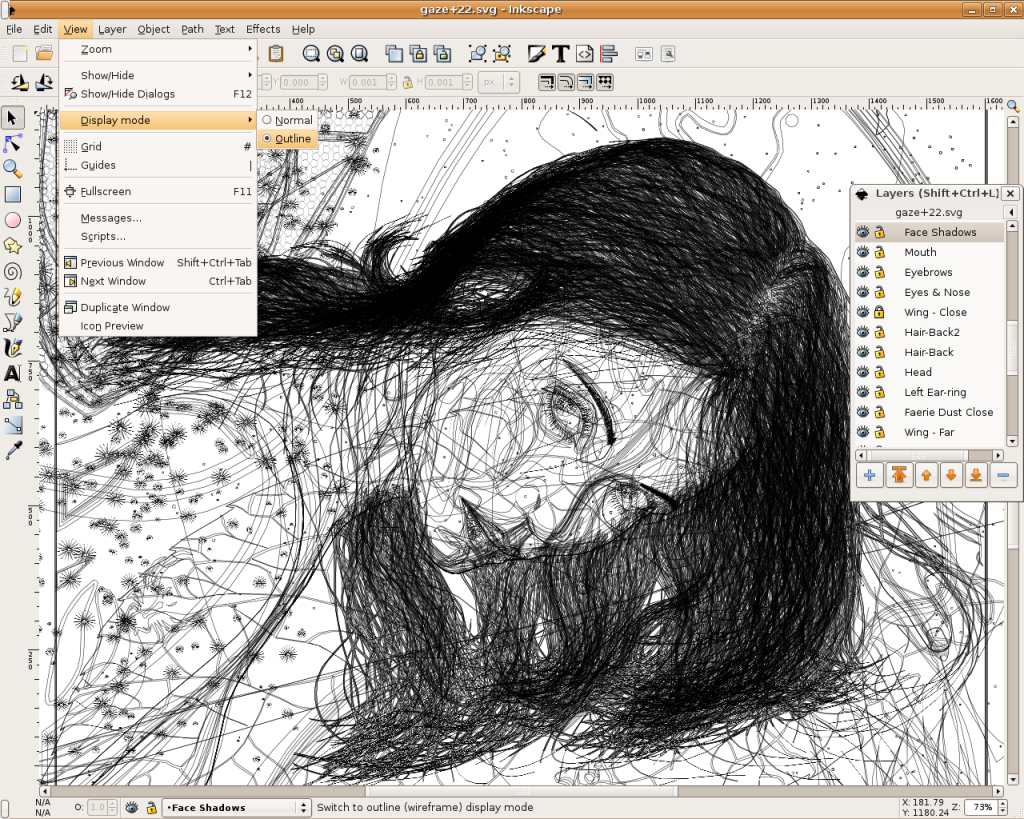
Inkscape is an open-source SVG editor with capabilities similar to Illustrator, CorelDraw, Visio, etc. Supported SVG features include basic shapes, paths, text, alpha blending, transforms, gradients, node editing, svg-to-png export, grouping, and more. Its main motivation is to provide the Open Source community with a fully XML, SVG, and CSS2 compliant SVG drawing tool.
These are the founding goals for Inkscape:
– Full SVG (plus XML, CSS2) compliance
– Core written in C/C++
– Gtk-based user interface following the standards set out in the GNOME Human     Interface Guidelines (HIG)
– Emphasis on a small core and extensibility. Usually Inkscape’s extensions are always first-class so we can say “no” to features in the core without guilt.
– Open, community-oriented development processes
– Baseline is the Sodipodi Hydra codebase
Where a better solution cannot be found, default to the way Illustrator does it.

Probably the easiest way to install on Ubuntu is to use the apt command.
Open a terminal and type;
sudo apt-get update (enter)
sudo apt-get install inkscape (enter)

  • Ubuntu Linux Development Versions

As it approaches release, nightly i386 and AMD64 builds of the latest Inkscape development version are provided at http://ubuntu.cafuego.net. On that site, one should select the appropriate Ubuntu or Debian release, then the Inkscape link, and finally the provided package. AddThis mp3 link Flattr this!

Recovering root password under Linux with single user mode

It happens sometime that you can’t remember root password. On Linux, recovering root password can be done by booting Linux under a specific mode: single user mode.
This tutorial will show how to boot Linux in single user mode when using GRUB and finally how to change root password.
During normal usage, a Linux OS runs under runlevels between 2 and 5 which corresponds to various multi-user modes. Booting Linux under runlevel 1 will allow one to enter into a specific mode, single user mode. Under such a level, you directly get a root prompt. From there, changing root password is a piece of cake.
Some Linux distribution, such as Ubuntu for instance, offer a specific boot menu entry where it is stated “Recovery Mode” or “Single-User Mode“. If this is your case, selecting this menu entry will boot your machine into single user mode, you can carry on with the next part. If not, you might want to read this part.
Using GRUB, you can manually edit the proposed menu entry at boot time. To do so, when GRUB is presenting the menu list (you might need to press ESC first), follow those instructions:
– use the arrows to select the boot entry you want to modify.
– press e to edit the entry
– use the arrows to go to kernel line
– press e to edit this entry
– at the end of the line add the word: single
– press ESC to go back to the parent menu
– press b to boot this kernel
The kernel should be booting as usual (except for the graphical splash screen you might be used to), and you will finally get a root prompt (sh#).
Here we are, we have gained root access to the filesystem, let’s finally change the password.
As root, changing password does not ask for your old password, therefore running the command:
# passwd
will prompt you for your new password and will ask you to confirm it to make sure there is no typo.
That’s it, you can now reboot your box and gain root access again. AddThis mp3 link

Name or Label a Partition using Ubuntu

Nautilus file manager shows the root directory as File System for your Ubuntu system partition. If you have other partitions (or volumes), it shows them as xx GB Filesystem if they’re not named or labelled.
Using Disk Utility is one of the effective ways to name a partition easily:
– go to System > Administration > Disk Utility
– select the item Hard Disk.
In the Volumes section, click a partition you want to label then:
– click “Edit Filesystem Label” (Note 1)
In the Label box, enter a name, e.g. Data-Disk, and click Apply.
The file manager should now show the partition label, such as Data-Disk, instead of xx GB Filesystem.

Note 1: If the option for “Edit Filesystem Label” is not shown, click “Unmount Volume” before hand. In case you can’t unmount a volume, try Storage Device Manager to unmount it. See Auto Mount Drives at System Startup.

Note 2: This tip is for naming a partition using Disk Utility, use other advanced features such as format, edit or delete partition with caution as they can delete data on your disk. AddThis mp3 link

Set your Ubuntu Desktop Fully Transparent Panel

When you set the panel to be transparent in the default Ambiance theme in Ubuntu 10.10 or 10.04, you will find that some panel items’ backgrounds are not transparent, but you can make them transparent and consistent with others, following these steps:
– Go to Applications (or Main Menu) > Accessories > Terminal.
– Enter: cp -R /usr/share/themes/Ambiance ~/.themes/
– Enter: gedit ~/.themes/Ambiance/gtk-2.0/apps/gnome-panel.rc (for Ubuntu 10.10) OR gedit ~/.themes/Ambiance/gtk-2.0/gtkrc (for Ubuntu 10.04), to open the file with gedit.
– Search for this line bg_pixmap[NORMAL] = “img/panel.png” (for Ubuntu 10.10) OR bg_pixmap[NORMAL] = “panel_bg.png” (for Ubuntu 10.04)
– Comment out the line by placing a # at the beginning of the line, like this: #   bg_pixmap[NORMAL] = …
– Save the file.
– Go to System > Preferences > Appearance, switch to the other theme and then back to the Ambiance theme.
Note: If you’d like to change to the Radiance theme, replace Ambiance with Radiance in the above command lines, but you’d like to change to the New Wave theme, then enter: cp -R /usr/share/themes/”New Wave” ~/.themes/ in step 2, enter gedit ~/.themes/”New Wave”/gtk-2.0/gtkrc in step 3, search for and comment out this line bg_pixmap[NORMAL] = “Images/Panel/PanelBarLong.png” in steps 4 and 5 respectively. AddThis mp3 link

Finding Files using – locate – on Linux

Many Linux users use the ‘find’ utility when searching for files using the command line on their system. They’ll do a simple:
find / -name ‘pattern’
Really though, the power of find isn’t just in finding names of files but rather specific details about those files. For example, if you wanted to find files which are writable by both their owner and their group:
find / -perm -444 -perm /222 ! -perm /111
or perhaps find any file that’s been altered in your Download directory in the past 24 hours:
find /home/user/Downloads/ -mtime 0
As you can see, the find command is very versatile and can be used to find an array of different attributes of files.  There are times though where I’m just looking for something and I don’t want to have to wait for the command to scan the entire directory tree in order to track it down.  That’s where locate comes in with quick and simple results.
Using the locate command can only be accomplished if you install the mlocate package.  Most major distributions have this available.  If not, head over to the mlocate homepage and install manually.  Once that is accomplished, you’ll need to manually run a command to index your filesystem with it…otherwise, you’ll have to wait for the command to run automatically as it registers with cron to do so on a system level.  Open a terminal and change to your root user, then execute the following:
updatedb &
This updates the mlocate database that indexes your files and forks it to the background (the ‘&’ forks it to the background).  You can now logout of the terminal as root and the process will quietly work in the background.
After the command completes, using mlocate is as easy as using the locate command:
locate firefox | less
The command above will look for all files with Firefox in the name and pipe the command through less so you can use the space bar or enter key to scroll the file buffer.  Of course, the reason we pipe it through less is because any file that resides in the ‘firefox’ directory will be reported in the output.  While this tool isn’t as granular as the find command, it is a quick way to track down paths, directories, and files you know should exist.  Since the data is indexed using the updatedb command (by cron) the results are very quick and the command does not have to scan through the filesystem to return the results.
There are plenty more advanced options via flags (such as following symbolic links, making search term case-sensitive, and even using regexp).  See the man page for details on how each of these options work.  Play around with locate and see what you can do!  It’s a powerful and quick search command! AddThis mp3 link