
Today, in our Linux Page, Frank has posted some useful notes about how to create a personalised live CD-DVD based on Ubuntu or Kubuntu. UCK 1.4 is the new powerful version of Ubuntu Customization Kit which allows you to easily customize the main Ubuntu functions: kernel, languages, software and … create in just few clicks.. your personal live Ubuntu CD. You can use UCK just for fun or to develop your ideal Ubuntu distribution to spread on the web. Enjoy it! 
Category Archives: GNU/Linux
PCLinuxOS 2007 Test 2: the new live CD to try!
This week in our Linux page we have posted a review about the “test 2” version of the new PCLinux 2007. This distro is well built and we weren’t able to find any bugs. PCLinux 2007 is built on the Kernel 2.6.18.6-dev5 and has a good 3D graphics support. Moreover it contains more features than the previous one and it’s very easy to use and personalize. For these reasons we think that it really is one of the most complete and stable distribution we have recently found on the net!
Click’N Run by Linspire: soon on other Linux distributions!
This week, in our Linux page we posted some news about Click’R Run, the well known Linspire’s software (free in its basic version) to manage applications, libraries and packages. Soon (more or less 5 months), Click’N Run will be available also for Debian, Fedora, Freespire, OpenSUSE and Ubuntu. In its actual Linspire version, Click’N Run is very easy to use and has a library of 20.000 Linux packages so I think that it will be interesting to try when it will be available for the other Linux distributions.
SuperGamer2: a video game bootable Linux DVD for all!
Today, Frank posted in our Linux Page a brief but effective post about SuperGamer2 which is the new -revised and improved- version of SuperGamer; perhaps, one of the most interesting bootable Linux versions created for video players. This DVD Linux is full of very interesting games and its compatibility is higher than never. In fact the people from SuperGamer have updated the hardware drivers and solved some problems they discovered in the first version. Now SuperGamer (based on PCLinuxOS) can be used in more motherboards than in the past and I think they are working on a better version of this wonderful bootable DVD Linux!
Ubuntu Christmas editon 2006 – DVD version
In the Linux page we posted a short review about – Ubuntu Christmas edition 2006 -. This fantastic version of Ubuntu is a live DVD which can be freely installed on your PC. This edition is particularly full of useful features, moreover themes & graphics are very accurate. I strongly believe that Ubuntu Xmas Edition 2006 is one of the best Linux you can try (or better install on your pc) if you are planning to use Linux as your main OS. If you are a beginner you have just to put Xmas Ubuntu into the DVD reader and you can enter Linux world!
How to step into Linux and get KBFX graphics.
Today in the Linux page you can read two different new posts. The first is about http://www.getgnulinux.org/ a good website full of information and suggestion to step into Linux. The site, with an essential and “easy to read” graphics, is multilingual: English, Spanish and French. In the second post Frank explain how to change the Linux themes using KBFX. Using KBFX you can personalize your K-menu button and it’s menu. Moreover, KBFX is not based on the XP StartMenu but on a hierarchical structure or (you can choose) on the new, flat indexed menu.
IZArc: the best portable free software to manage all archives (zip, tar, etc..)
This week we have tested IZArc in our freeware page. IZArc is a terrific freeware to manage many (perhaps I should say: “All”) different formats of archive. IZArc has a very clean interface and in few minutes (after few tests) you are able to use all its features. Using IZArc you can also have a quick look in ISO archives before burning them and directly scan them using your favourite anti-virus. I hope that IZArc developers would create a Linux version in the future because this freeware is really one of the most useful and tiny software I discovered in last months (now it is possible to use IZArc in Linux through Wine). In our Linux page we posted a review about LiveLook, a multiplatform (Linux, MAC OS X, Windows) on-line service to remote control your computers. Unfortunately this web based service will be free for just few more weeks but for the moment it works greatly. 
Super Grub: how to solve boot problems in Linux, Windows, OS Independent
Super Grub is a very practical and useful free bootable cd which can be very useful when you need to solve boot problems in Linux, Windows and other OS Independent. In our Linux page, Frank wrote a descriptive post about the many features you can find (and effectively use) in this terrific bootable cd. Super Grub is very light (just 1.45 MB of cdrom .iso), supports seven different languages and can be downloaded also in its floppy disk version.
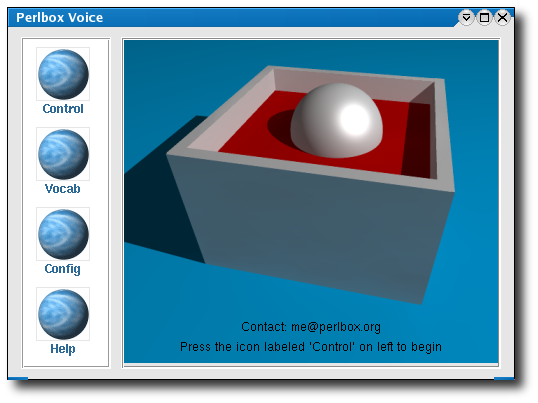
Speech Recognition Engines fo Linux: Perlbox and CMUSphinx
Today, in the Linux page you find a post about two different speech recognition programs: Perlbox and CMUSphinx. We think that these voice enabled applications could be useful if you want to fast the way you use your desktop. We tested them in English and the results were pretty good. We suggest you to try them even if you haven’t any specific needs to use them. At least, you will spend some interesting hours testing the softwares our sons will use in next generation computers.
How to create a tar (or gz, bz2, tar.gz, tar.bz2, zip, lha, arj, zoo, rar) file in Linux.
Thank you to Yietzel who posted a comment asking us some information about how to create a tar file. In the Linux page we created a short but effective post about this topic. This short manual (yes it is a manual because we included also the instructions to create: gz, bz2, tar.gz, tar.bz2, zip, lha, arj, zoo, rar files) is short but very clear and easy to use. We really hope you find our post useful. Please, let us know! 

